Modding: Difference between revisions
Adapted from VirtuaVirtue's Downwell Modding Documentation, with decompilation findings |
Add the original guide's 57 screenshots (hosted as extension assets) |
||
| Line 4: | Line 4: | ||
* '''[https://github.com/UnderminersTeam/UndertaleModTool UndertaleModTool]''' — the only tool you strictly need. Download a ''Stable'' release ("Bleeding Edge" is newer but less stable). | * '''[https://github.com/UnderminersTeam/UndertaleModTool UndertaleModTool]''' — the only tool you strictly need. Download a ''Stable'' release ("Bleeding Edge" is newer but less stable). | ||
<div class="dw-shot">https://pix-equivalent-burst-tested.trycloudflare.com/extensions/DownwellTheme/resources/modding/img00.png</div> | |||
<div class="dw-shot">https://pix-equivalent-burst-tested.trycloudflare.com/extensions/DownwellTheme/resources/modding/img01.png</div> | |||
* '''Any pixel-precise image editor''' — Paint.NET, Aseprite, even MS Paint. | * '''Any pixel-precise image editor''' — Paint.NET, Aseprite, even MS Paint. | ||
<div class="dw-shot">https://pix-equivalent-burst-tested.trycloudflare.com/extensions/DownwellTheme/resources/modding/img02.png</div> | |||
The game data lives at: | The game data lives at: | ||
| Line 20: | Line 23: | ||
* '''Frame 0''' — the selection icon shown on the end-of-level choice screen. 24×24 pixels. | * '''Frame 0''' — the selection icon shown on the end-of-level choice screen. 24×24 pixels. | ||
* '''Frame 1''' — the inventory icon shown in the corner once taken. 12×12 pixels. | * '''Frame 1''' — the inventory icon shown in the corner once taken. 12×12 pixels. | ||
<div class="dw-shot">https://pix-equivalent-burst-tested.trycloudflare.com/extensions/DownwellTheme/resources/modding/img03.png</div> | |||
<div class="dw-shot">https://pix-equivalent-burst-tested.trycloudflare.com/extensions/DownwellTheme/resources/modding/img04.png</div> | |||
Upgrade sprites use '''at most three colors''': red <code>#FF0000</code>, white <code>#FFFFFF</code> and black <code>#000000</code>. The game's palette shaders automatically remap them to the player's chosen [[Palettes|palette]]. | Upgrade sprites use '''at most three colors''': red <code>#FF0000</code>, white <code>#FFFFFF</code> and black <code>#000000</code>. The game's palette shaders automatically remap them to the player's chosen [[Palettes|palette]]. | ||
| Line 34: | Line 39: | ||
# Open <code>data.win</code> in UndertaleModTool. | # Open <code>data.win</code> in UndertaleModTool. | ||
<div class="dw-shot">https://pix-equivalent-burst-tested.trycloudflare.com/extensions/DownwellTheme/resources/modding/img05.png</div> | |||
# Run '''Scripts → Resource Repackers → ImportGraphics.csx''' and select your folder. | # Run '''Scripts → Resource Repackers → ImportGraphics.csx''' and select your folder. | ||
<div class="dw-shot">https://pix-equivalent-burst-tested.trycloudflare.com/extensions/DownwellTheme/resources/modding/img06.png</div> | |||
<div class="dw-shot">https://pix-equivalent-burst-tested.trycloudflare.com/extensions/DownwellTheme/resources/modding/img07.png</div> | |||
# Check that a new <code>UndertaleEmbeddedTexture</code> exists (a texture-loading warning at this stage can be ignored, or save and reload). | # Check that a new <code>UndertaleEmbeddedTexture</code> exists (a texture-loading warning at this stage can be ignored, or save and reload). | ||
<div class="dw-shot">https://pix-equivalent-burst-tested.trycloudflare.com/extensions/DownwellTheme/resources/modding/img08.png</div> | |||
<div class="dw-shot">https://pix-equivalent-burst-tested.trycloudflare.com/extensions/DownwellTheme/resources/modding/img09.png</div> | |||
# Find your sprite in the ''Sprites'' section and check its properties — most importantly the '''origin must be 12×12''' so the icons align in the menu and inventory. | # Find your sprite in the ''Sprites'' section and check its properties — most importantly the '''origin must be 12×12''' so the icons align in the menu and inventory. | ||
<div class="dw-shot">https://pix-equivalent-burst-tested.trycloudflare.com/extensions/DownwellTheme/resources/modding/img10.png</div> | |||
<div class="dw-shot">https://pix-equivalent-burst-tested.trycloudflare.com/extensions/DownwellTheme/resources/modding/img11.png</div> | |||
<div class="dw-shot">https://pix-equivalent-burst-tested.trycloudflare.com/extensions/DownwellTheme/resources/modding/img12.png</div> | |||
<div class="dw-shot">https://pix-equivalent-burst-tested.trycloudflare.com/extensions/DownwellTheme/resources/modding/img13.png</div> | |||
=== language.ini === | === language.ini === | ||
All of the game's text lives in <code>language.ini</code> next to <code>data.win</code>. Add your upgrade's name to the <code>ugName</code> section — the last vanilla entry is <code>ugName22</code>. Entries for the other languages are optional, but without them those languages show a blank name and description. | All of the game's text lives in <code>language.ini</code> next to <code>data.win</code>. Add your upgrade's name to the <code>ugName</code> section — the last vanilla entry is <code>ugName22</code>. Entries for the other languages are optional, but without them those languages show a blank name and description. | ||
<div class="dw-shot">https://pix-equivalent-burst-tested.trycloudflare.com/extensions/DownwellTheme/resources/modding/img14.png</div> | |||
<div class="dw-shot">https://pix-equivalent-burst-tested.trycloudflare.com/extensions/DownwellTheme/resources/modding/img15.png</div> | |||
<div class="dw-shot">https://pix-equivalent-burst-tested.trycloudflare.com/extensions/DownwellTheme/resources/modding/img16.png</div> | |||
=== The upgrade table === | === The upgrade table === | ||
Search for ''upgrades'' in UndertaleModTool and open <code>gml_Script_scrUpgrades</code> under ''Code''. This script is the upgrade database: every upgrade in the game is a block of <code>global.ug</code> assignments, with <code>i += 1</code> between blocks (the index — without the increment you overwrite the previous entry). | Search for ''upgrades'' in UndertaleModTool and open <code>gml_Script_scrUpgrades</code> under ''Code''. | ||
<div class="dw-shot">https://pix-equivalent-burst-tested.trycloudflare.com/extensions/DownwellTheme/resources/modding/img17.png</div> | |||
<div class="dw-shot">https://pix-equivalent-burst-tested.trycloudflare.com/extensions/DownwellTheme/resources/modding/img18.png</div> | |||
<div class="dw-shot">https://pix-equivalent-burst-tested.trycloudflare.com/extensions/DownwellTheme/resources/modding/img19.png</div> This script is the upgrade database: every upgrade in the game is a block of <code>global.ug</code> assignments, with <code>i += 1</code> between blocks (the index — without the increment you overwrite the previous entry). | |||
{| class="wikitable" | {| class="wikitable" | ||
| Line 67: | Line 87: | ||
Copy an existing block to the end of the list, keep the <code>i += 1</code> above it, and fill in your values. | Copy an existing block to the end of the list, keep the <code>i += 1</code> above it, and fill in your values. | ||
<div class="dw-shot">https://pix-equivalent-burst-tested.trycloudflare.com/extensions/DownwellTheme/resources/modding/img20.png</div> | |||
<div class="dw-shot">https://pix-equivalent-burst-tested.trycloudflare.com/extensions/DownwellTheme/resources/modding/img21.png</div> | |||
=== Functionality === | === Functionality === | ||
Search for ''pug'' (Player UpGrade) and open <code>gml_Script_scrIncrementPug</code>. It is one large <code>switch</code> over the upgrade index, run when an upgrade is taken. Add a <code>case</code> for your index at the bottom (the 24th item is <code>case 23</code> — indexes start at 0) and put your effect there. | Search for ''pug'' (Player UpGrade) and open <code>gml_Script_scrIncrementPug</code>. | ||
<div class="dw-shot">https://pix-equivalent-burst-tested.trycloudflare.com/extensions/DownwellTheme/resources/modding/img22.png</div> | |||
<div class="dw-shot">https://pix-equivalent-burst-tested.trycloudflare.com/extensions/DownwellTheme/resources/modding/img23.png</div> | |||
<div class="dw-shot">https://pix-equivalent-burst-tested.trycloudflare.com/extensions/DownwellTheme/resources/modding/img24.png</div> | |||
<div class="dw-shot">https://pix-equivalent-burst-tested.trycloudflare.com/extensions/DownwellTheme/resources/modding/img25.png</div> It is one large <code>switch</code> over the upgrade index, run when an upgrade is taken. Add a <code>case</code> for your index at the bottom (the 24th item is <code>case 23</code> — indexes start at 0) and put your effect there. | |||
== Tutorial: new styles == | == Tutorial: new styles == | ||
| Line 81: | Line 107: | ||
sprPlayerIdleCart_0.png … sprPlayerIdleCart_3.png | sprPlayerIdleCart_0.png … sprPlayerIdleCart_3.png | ||
sprPlayerRunCart_0.png … sprPlayerRunCart_7.png | sprPlayerRunCart_0.png … sprPlayerRunCart_7.png | ||
<div class="dw-shot">https://pix-equivalent-burst-tested.trycloudflare.com/extensions/DownwellTheme/resources/modding/img26.png</div> | |||
<div class="dw-shot">https://pix-equivalent-burst-tested.trycloudflare.com/extensions/DownwellTheme/resources/modding/img27.png</div> | |||
Import exactly as in the upgrade tutorial, then check the sprite properties — here the '''origin must be 6×6'''. | Import exactly as in the upgrade tutorial, then check the sprite properties — here the '''origin must be 6×6'''. | ||
<div class="dw-shot">https://pix-equivalent-burst-tested.trycloudflare.com/extensions/DownwellTheme/resources/modding/img28.png</div> | |||
=== language.ini === | === language.ini === | ||
Add the style's name to the <code>styleName</code> section — the last vanilla entry is <code>styleName4</code>. | Add the style's name to the <code>styleName</code> section — the last vanilla entry is <code>styleName4</code>. | ||
<div class="dw-shot">https://pix-equivalent-burst-tested.trycloudflare.com/extensions/DownwellTheme/resources/modding/img29.png</div> | |||
<div class="dw-shot">https://pix-equivalent-burst-tested.trycloudflare.com/extensions/DownwellTheme/resources/modding/img30.png</div> | |||
<div class="dw-shot">https://pix-equivalent-burst-tested.trycloudflare.com/extensions/DownwellTheme/resources/modding/img31.png</div> | |||
=== Wiring it up === | === Wiring it up === | ||
| Line 93: | Line 125: | ||
# <code>gml_GlobalScript_styleInit</code> — declares each style's name and animation sprite indexes (index variable <code>s</code>, incremented per style like the upgrade table). Point the animation fields at your imported sprite indexes (double-click a sprite; its index is shown at the bottom right). | # <code>gml_GlobalScript_styleInit</code> — declares each style's name and animation sprite indexes (index variable <code>s</code>, incremented per style like the upgrade table). Point the animation fields at your imported sprite indexes (double-click a sprite; its index is shown at the bottom right). | ||
<div class="dw-shot">https://pix-equivalent-burst-tested.trycloudflare.com/extensions/DownwellTheme/resources/modding/img32.png</div> | |||
<div class="dw-shot">https://pix-equivalent-burst-tested.trycloudflare.com/extensions/DownwellTheme/resources/modding/img33.png</div> | |||
<div class="dw-shot">https://pix-equivalent-burst-tested.trycloudflare.com/extensions/DownwellTheme/resources/modding/img34.png</div> | |||
<div class="dw-shot">https://pix-equivalent-burst-tested.trycloudflare.com/extensions/DownwellTheme/resources/modding/img35.png</div> | |||
<div class="dw-shot">https://pix-equivalent-burst-tested.trycloudflare.com/extensions/DownwellTheme/resources/modding/img36.png</div> | |||
<div class="dw-shot">https://pix-equivalent-burst-tested.trycloudflare.com/extensions/DownwellTheme/resources/modding/img37.png</div> | |||
<div class="dw-shot">https://pix-equivalent-burst-tested.trycloudflare.com/extensions/DownwellTheme/resources/modding/img38.png</div> | |||
# <code>gml_GlobalScript_styleUpdate</code> — runs when a style is selected and sets the player's stats. Copy an existing <code>case</code> to the end and adjust. Vanilla <code>gunType</code> values are 0–6 (see the [[#Reference: weapon stats|weapon table]]). | # <code>gml_GlobalScript_styleUpdate</code> — runs when a style is selected and sets the player's stats. Copy an existing <code>case</code> to the end and adjust. Vanilla <code>gunType</code> values are 0–6 (see the [[#Reference: weapon stats|weapon table]]). | ||
<div class="dw-shot">https://pix-equivalent-burst-tested.trycloudflare.com/extensions/DownwellTheme/resources/modding/img39.png</div> | |||
<div class="dw-shot">https://pix-equivalent-burst-tested.trycloudflare.com/extensions/DownwellTheme/resources/modding/img40.png</div> | |||
<div class="dw-shot">https://pix-equivalent-burst-tested.trycloudflare.com/extensions/DownwellTheme/resources/modding/img41.png</div> | |||
<div class="dw-shot">https://pix-equivalent-burst-tested.trycloudflare.com/extensions/DownwellTheme/resources/modding/img42.png</div> | |||
# <code>gml_GlobalScript_styleSet</code> — declares the animations again; possibly never called, but add your style for good practice. | # <code>gml_GlobalScript_styleSet</code> — declares the animations again; possibly never called, but add your style for good practice. | ||
<div class="dw-shot">https://pix-equivalent-burst-tested.trycloudflare.com/extensions/DownwellTheme/resources/modding/img43.png</div> | |||
<div class="dw-shot">https://pix-equivalent-burst-tested.trycloudflare.com/extensions/DownwellTheme/resources/modding/img44.png</div> | |||
<div class="dw-shot">https://pix-equivalent-burst-tested.trycloudflare.com/extensions/DownwellTheme/resources/modding/img45.png</div> | |||
<div class="dw-shot">https://pix-equivalent-burst-tested.trycloudflare.com/extensions/DownwellTheme/resources/modding/img46.png</div> | |||
# <code>gml_Object_PlayMenu_Create_0</code> (search ''playmenu'') — increment <code>styleMax</code> by 1 so the menu shows your style. | # <code>gml_Object_PlayMenu_Create_0</code> (search ''playmenu'') — increment <code>styleMax</code> by 1 so the menu shows your style. | ||
<div class="dw-shot">https://pix-equivalent-burst-tested.trycloudflare.com/extensions/DownwellTheme/resources/modding/img47.png</div> | |||
<div class="dw-shot">https://pix-equivalent-burst-tested.trycloudflare.com/extensions/DownwellTheme/resources/modding/img48.png</div> | |||
<div class="dw-shot">https://pix-equivalent-burst-tested.trycloudflare.com/extensions/DownwellTheme/resources/modding/img49.png</div> | |||
<div class="dw-shot">https://pix-equivalent-burst-tested.trycloudflare.com/extensions/DownwellTheme/resources/modding/img50.png</div> | |||
=== Unlocking === | === Unlocking === | ||
| Line 101: | Line 152: | ||
A new style starts locked with no unlock condition. Either: | A new style starts locked with no unlock condition. Either: | ||
* add it to the unlock tables — an entry in <code>gml_GlobalScript_unlockGoalNum</code> (shifting the later indexes) and a <code>case</code> in <code>gml_GlobalScript_unlockNotice</code> — or | * add it to the unlock tables — an entry in <code>gml_GlobalScript_unlockGoalNum</code> (shifting the later indexes) and a <code>case</code> in <code>gml_GlobalScript_unlockNotice</code> — or | ||
<div class="dw-shot">https://pix-equivalent-burst-tested.trycloudflare.com/extensions/DownwellTheme/resources/modding/img51.png</div> | |||
<div class="dw-shot">https://pix-equivalent-burst-tested.trycloudflare.com/extensions/DownwellTheme/resources/modding/img52.png</div> | |||
<div class="dw-shot">https://pix-equivalent-burst-tested.trycloudflare.com/extensions/DownwellTheme/resources/modding/img53.png</div> | |||
* cheat it open: in <code>save.ini</code> (at <code>C:\Users\<you>\AppData\Local\Downwell_v1_0_5</code>) set the <code>gems</code> field, your progress toward all unlockables, to something absurd. | * cheat it open: in <code>save.ini</code> (at <code>C:\Users\<you>\AppData\Local\Downwell_v1_0_5</code>) set the <code>gems</code> field, your progress toward all unlockables, to something absurd. | ||
<div class="dw-shot">https://pix-equivalent-burst-tested.trycloudflare.com/extensions/DownwellTheme/resources/modding/img54.png</div> | |||
<div class="dw-shot">https://pix-equivalent-burst-tested.trycloudflare.com/extensions/DownwellTheme/resources/modding/img55.png</div> | |||
== Reference: weapon stats == | == Reference: weapon stats == | ||
New weapons are added in <code>gml_GlobalScript_bStatInitLevel1</code> by copying an existing weapon's block. Increment <code>gunnum</code> (<code>gunnum += 1</code>) above every new weapon. | New weapons are added in <code>gml_GlobalScript_bStatInitLevel1</code> by copying an existing weapon's block. Increment <code>gunnum</code> (<code>gunnum += 1</code>) above every new weapon. | ||
<div class="dw-shot">https://pix-equivalent-burst-tested.trycloudflare.com/extensions/DownwellTheme/resources/modding/img56.png</div> | |||
Most stats are arrays of two values: <code>[gunnum][0]</code> applies '''without gem high''', <code>[gunnum][1]</code> '''with gem high''' (typically slightly stronger). | Most stats are arrays of two values: <code>[gunnum][0]</code> applies '''without gem high''', <code>[gunnum][1]</code> '''with gem high''' (typically slightly stronger). | ||
Revision as of 00:53, 5 July 2026
Downwell is a GameMaker game, and nearly everything about it — sprites, code, sounds — lives in a single data.win file that can be edited with UndertaleModTool. This page is adapted from VirtuaVirtue's Downwell Modding Documentation, with additions from this wiki's own decompilation notes.
Tools required
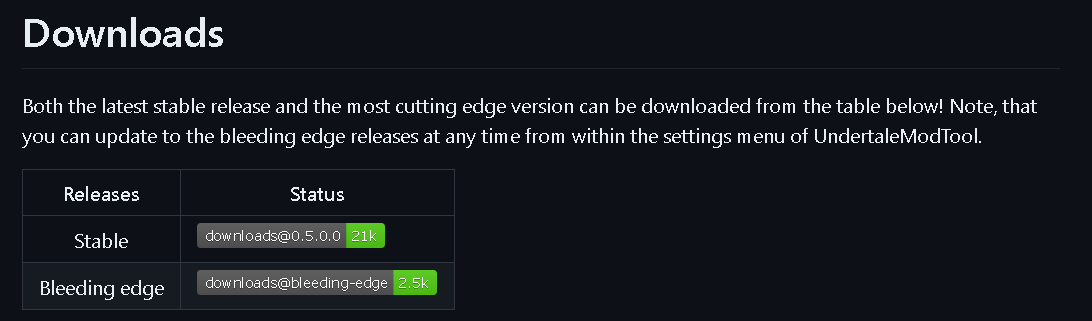
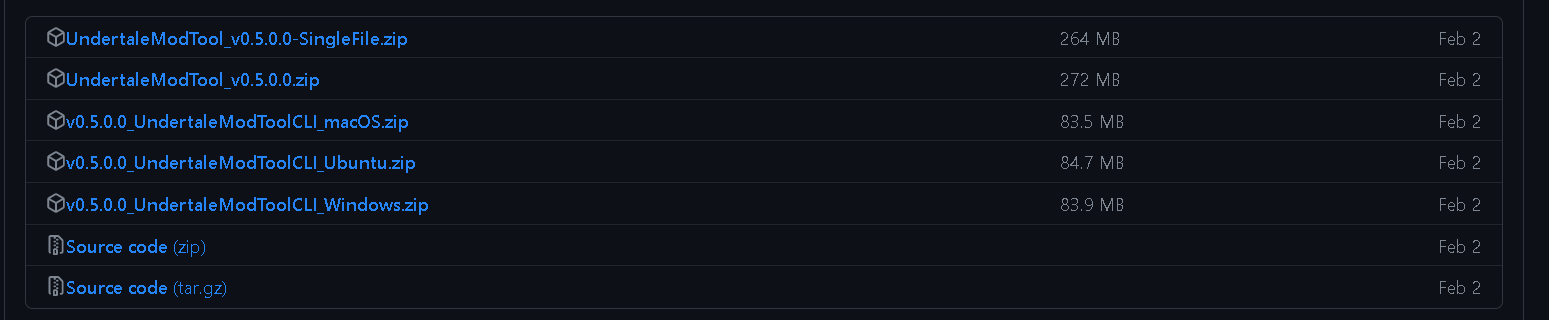
- UndertaleModTool — the only tool you strictly need. Download a Stable release ("Bleeding Edge" is newer but less stable).
- Any pixel-precise image editor — Paint.NET, Aseprite, even MS Paint.
The game data lives at:
C:\Program Files (x86)\Steam\steamapps\common\Downwell\data.win
Make a backup of data.win before editing — you are modifying the game itself.
Tutorial: new upgrades
Upgrades are the items offered at the end of every level. They are the best starting point for modding: little to no coding knowledge required.
Sprites
Each upgrade is one sprite with two frames:
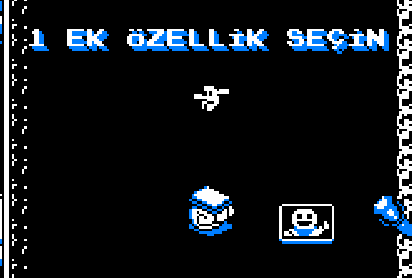
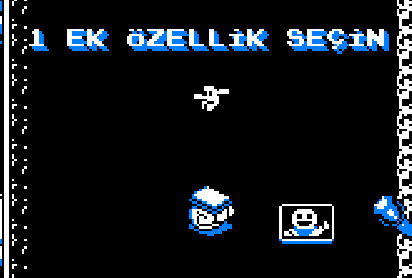
- Frame 0 — the selection icon shown on the end-of-level choice screen. 24×24 pixels.
- Frame 1 — the inventory icon shown in the corner once taken. 12×12 pixels.
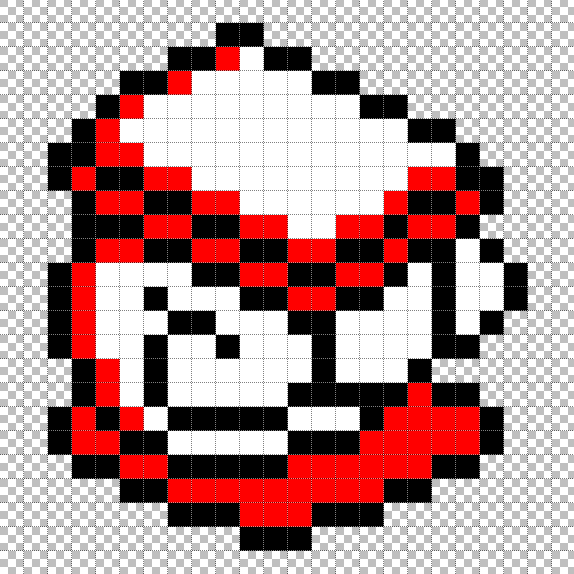
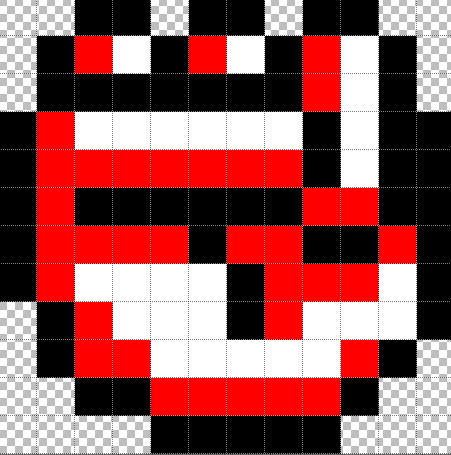
Upgrade sprites use at most three colors: red #FF0000, white #FFFFFF and black #000000. The game's palette shaders automatically remap them to the player's chosen palette.
Naming scheme
Name the files as frames of one sprite, e.g. for a "Knuckle Sandwich" upgrade:
sUgSandwich_0.png   (large icon)
sUgSandwich_1.png   (small icon)
UndertaleModTool imports numbered files as frames of the same sprite. Put them alone in a folder.
Importing
- Open
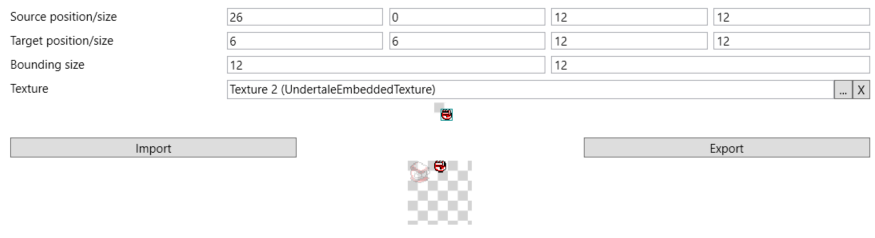
data.winin UndertaleModTool.
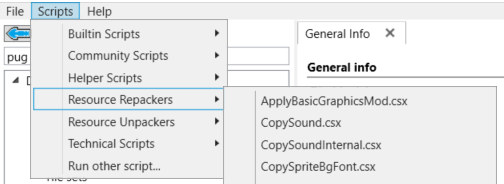
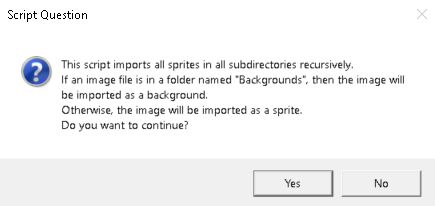
- Run Scripts → Resource Repackers → ImportGraphics.csx and select your folder.
- Check that a new
UndertaleEmbeddedTextureexists (a texture-loading warning at this stage can be ignored, or save and reload).
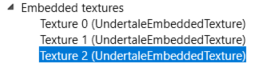
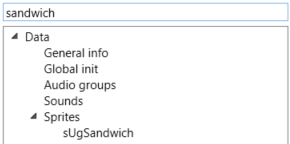
- Find your sprite in the Sprites section and check its properties — most importantly the origin must be 12×12 so the icons align in the menu and inventory.
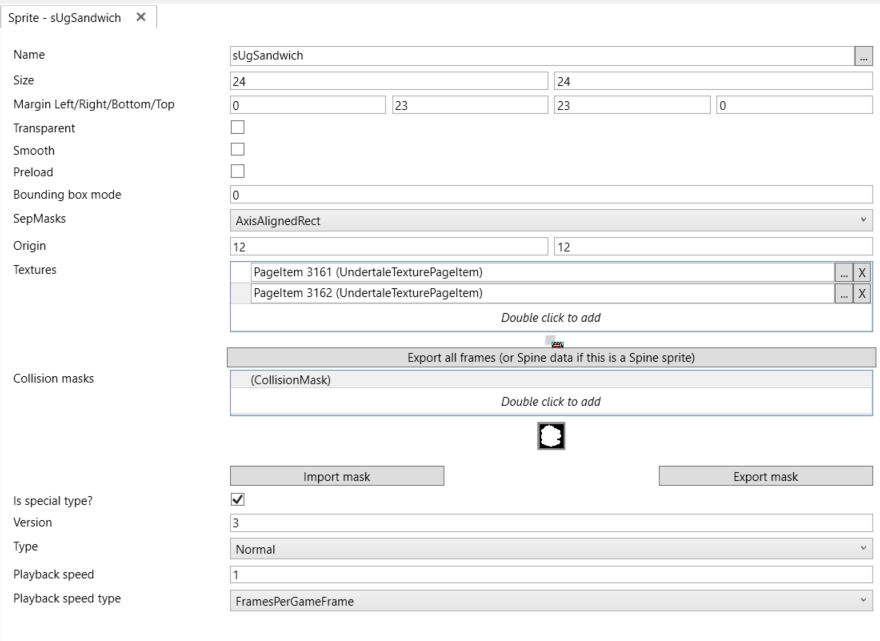

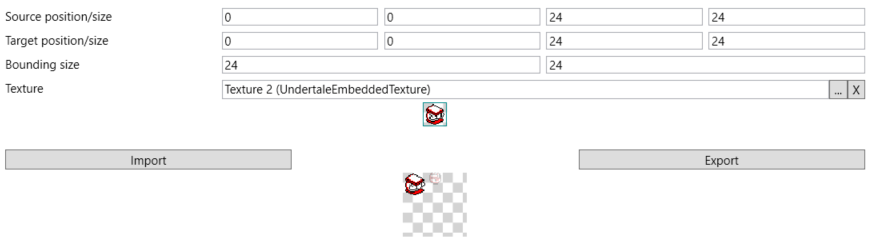
language.ini
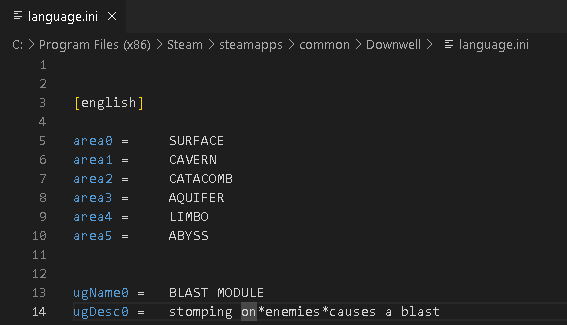
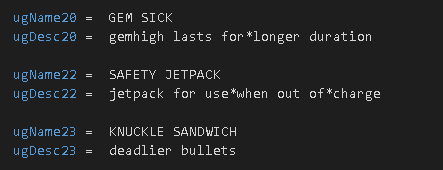
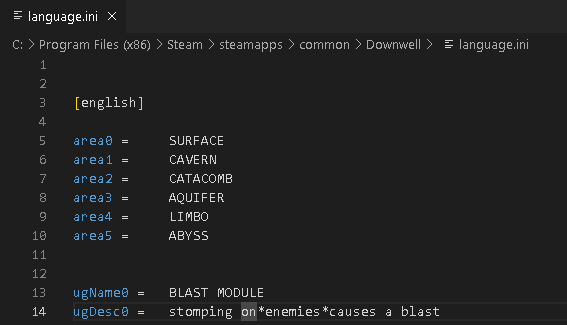
All of the game's text lives in language.ini next to data.win. Add your upgrade's name to the ugName section — the last vanilla entry is ugName22. Entries for the other languages are optional, but without them those languages show a blank name and description.
The upgrade table
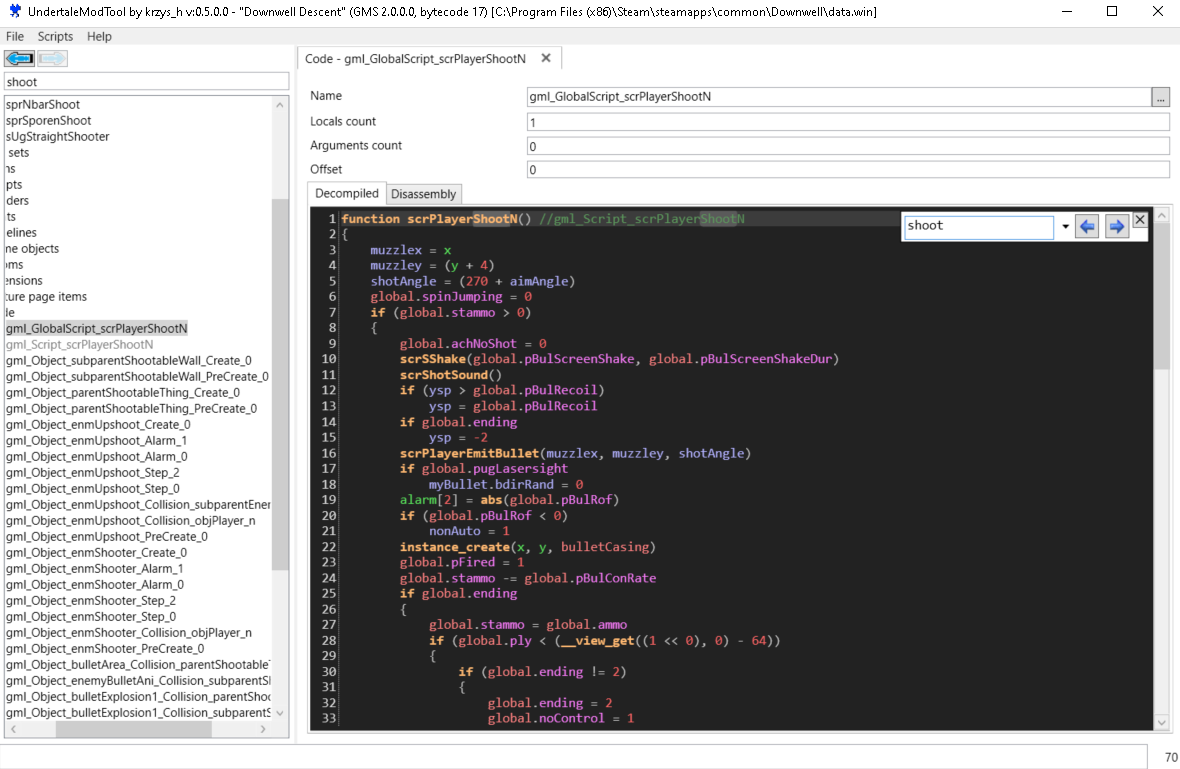
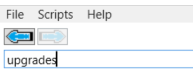
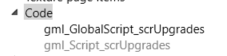
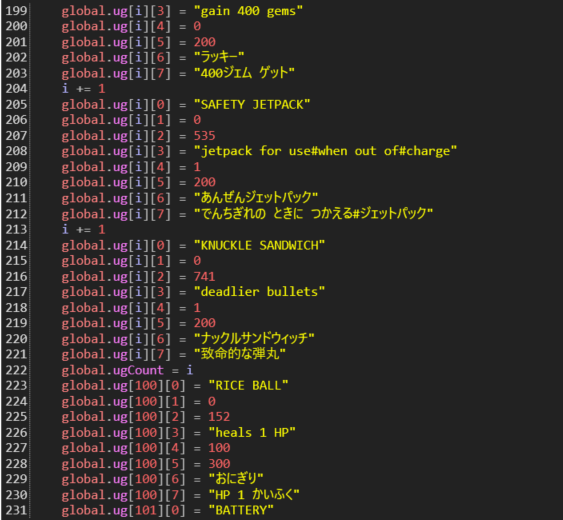
Search for upgrades in UndertaleModTool and open gml_Script_scrUpgrades under Code.
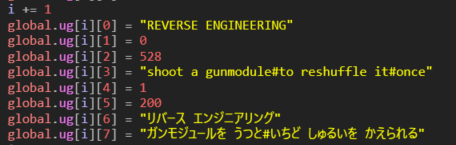
This script is the upgrade database: every upgrade in the game is a block of global.ug assignments, with i += 1 between blocks (the index — without the increment you overwrite the previous entry).
| Field | Meaning |
|---|---|
ug[i][0] |
Name (shown on the choice screen) |
ug[i][1] |
Copies currently owned — the game resets it; leave at 0 |
ug[i][2] |
Sprite index. The first sprite a mod imports lands at index 741; add 1 per additional sprite |
ug[i][3] |
Description; # is a line break
|
ug[i][4] |
Maximum copies obtainable. The pickers only offer an upgrade while ug[i][1] < ug[i][4] — vanilla entries with 0 here (Dumbbell, Super Charge, Sudden Fortune) are cut content that can never appear. Leave at 1
|
ug[i][5] |
Price in gems — only read for the shop consumables (indexes 100–105); dead data for regular upgrades. Leave at 200 |
ug[i][6] |
Japanese name |
ug[i][7] |
Japanese description |
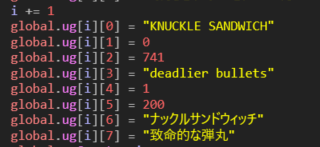
Copy an existing block to the end of the list, keep the i += 1 above it, and fill in your values.
Functionality
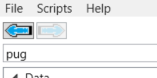
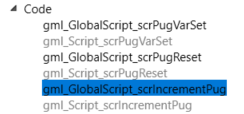
Search for pug (Player UpGrade) and open gml_Script_scrIncrementPug.
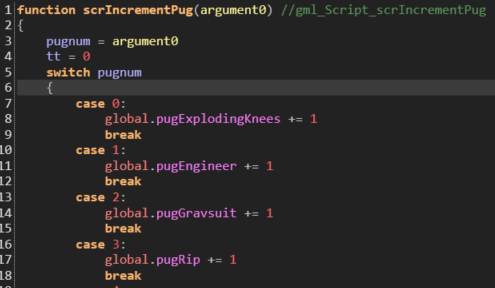
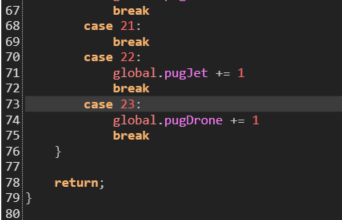
It is one large switch over the upgrade index, run when an upgrade is taken. Add a case for your index at the bottom (the 24th item is case 23 — indexes start at 0) and put your effect there.
Tutorial: new styles
Styles are the characters chosen at the start of a run.
Sprites
A style needs a run cycle of 8 frames and an idle animation of 4 frames, at 15×15 pixels, using the same three-color rule as upgrades. Name them so they don't collide with existing sprites, e.g.:
sprPlayerIdleCart_0.png … sprPlayerIdleCart_3.png
sprPlayerRunCart_0.png … sprPlayerRunCart_7.png
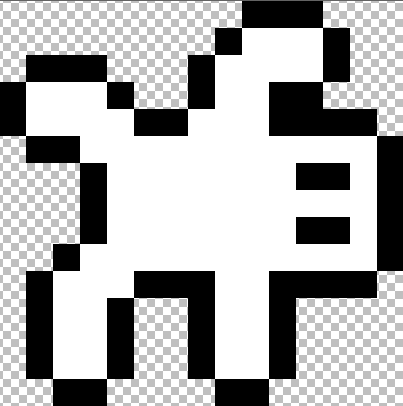
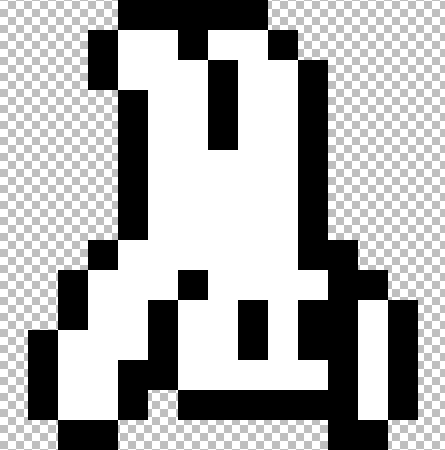
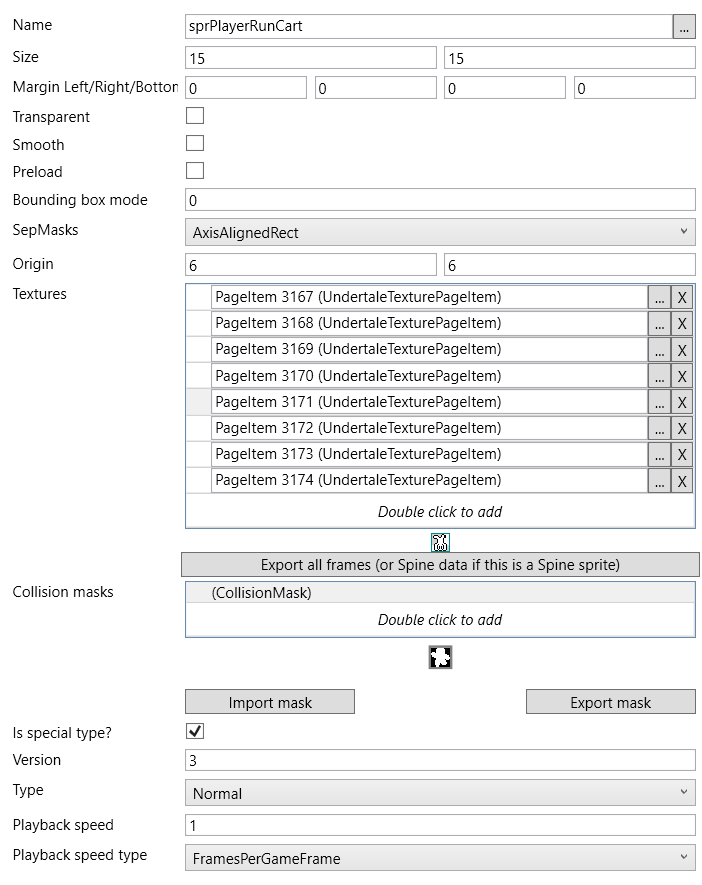
Import exactly as in the upgrade tutorial, then check the sprite properties — here the origin must be 6×6.
language.ini
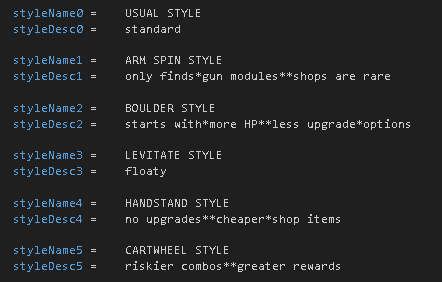
Add the style's name to the styleName section — the last vanilla entry is styleName4.
Wiring it up
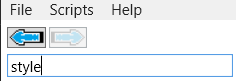
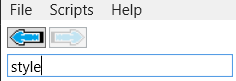
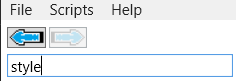
Four scripts, all found by searching style:
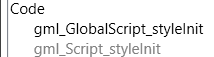
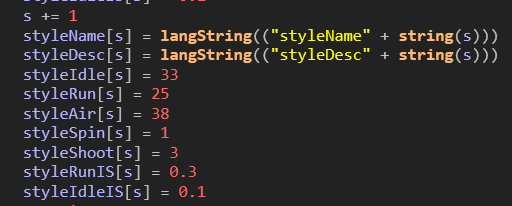
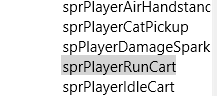
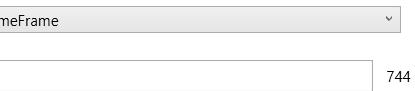
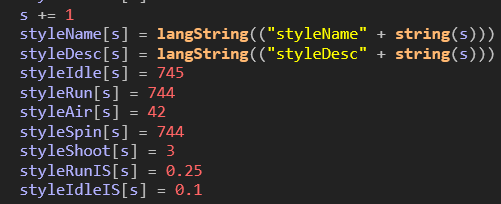
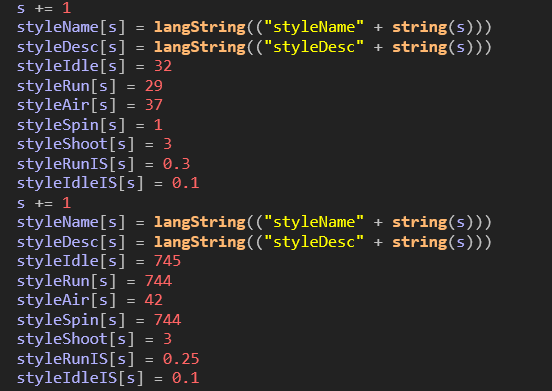
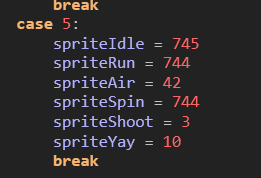
gml_GlobalScript_styleInit— declares each style's name and animation sprite indexes (index variables, incremented per style like the upgrade table). Point the animation fields at your imported sprite indexes (double-click a sprite; its index is shown at the bottom right).
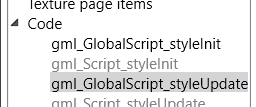
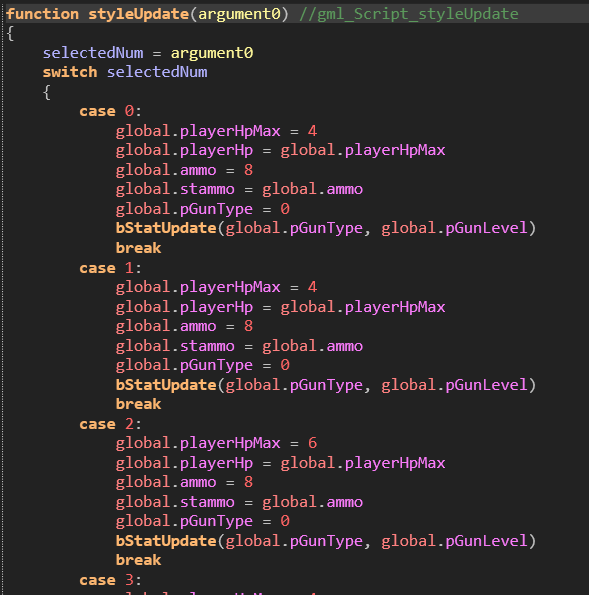
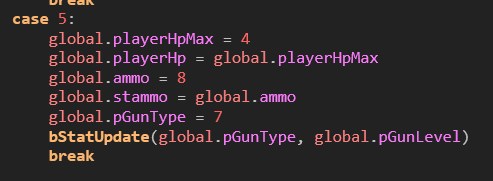
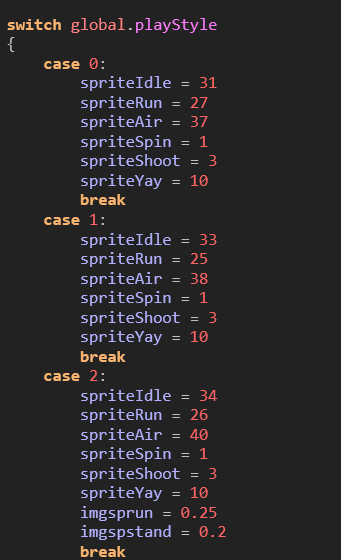
gml_GlobalScript_styleUpdate— runs when a style is selected and sets the player's stats. Copy an existingcaseto the end and adjust. VanillagunTypevalues are 0–6 (see the weapon table).
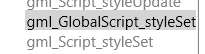
gml_GlobalScript_styleSet— declares the animations again; possibly never called, but add your style for good practice.
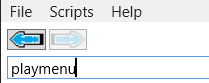
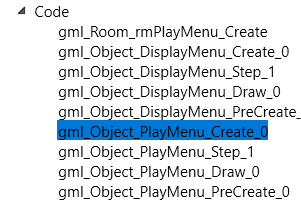
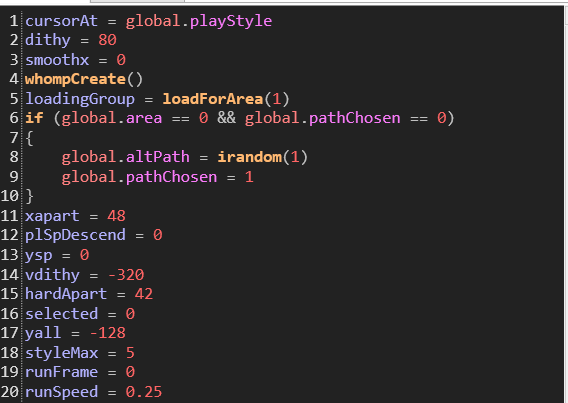
gml_Object_PlayMenu_Create_0(search playmenu) — incrementstyleMaxby 1 so the menu shows your style.

Unlocking
A new style starts locked with no unlock condition. Either:
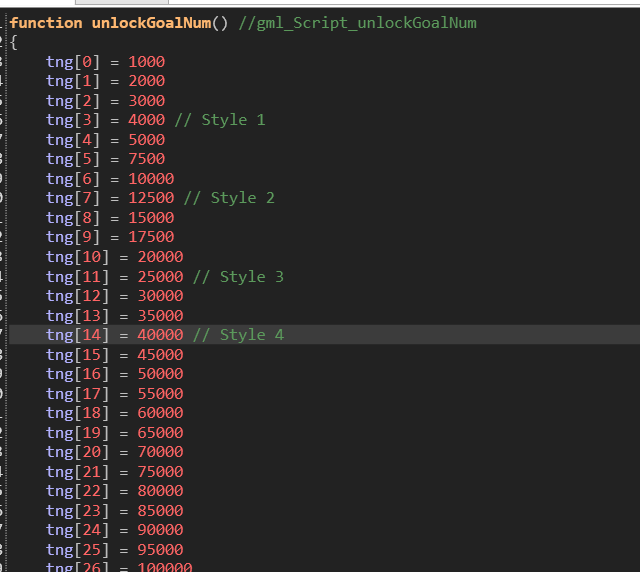
- add it to the unlock tables — an entry in
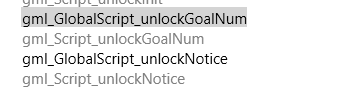
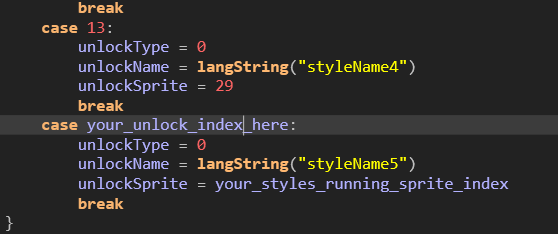
gml_GlobalScript_unlockGoalNum(shifting the later indexes) and acaseingml_GlobalScript_unlockNotice— or
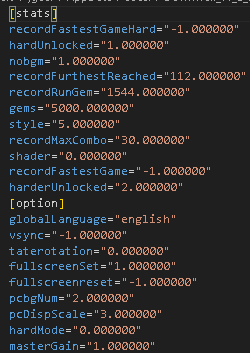
- cheat it open: in
save.ini(atC:\Users\<you>\AppData\Local\Downwell_v1_0_5) set thegemsfield, your progress toward all unlockables, to something absurd.

Reference: weapon stats
New weapons are added in gml_GlobalScript_bStatInitLevel1 by copying an existing weapon's block. Increment gunnum (gunnum += 1) above every new weapon.
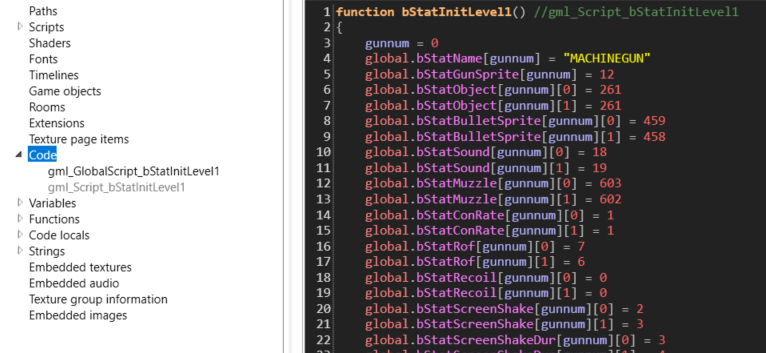
Most stats are arrays of two values: [gunnum][0] applies without gem high, [gunnum][1] with gem high (typically slightly stronger).
| Stat | Meaning |
|---|---|
bStatName |
Pickup name, quoted, usually capitalised — e.g. "NOPPY"
|
bStatGunSprite |
Letter shown on the collectible: position in the alphabet minus one (11 = "L") |
bStatObject |
Bullet object index — 261 for MACHINEGUN/SHOTGUN/TRIPLE/PUNCHER/BURST/NOPPY, 260 for LASER |
bStatBulletSprite |
Bullet sprite index (LASER: 466 normal, 465 gem high) |
bStatSound |
Firing sound index (LASER: 20 normal, 21 gem high) |
bStatMuzzle |
Muzzle-flash sprite index (SHOTGUN: 603 normal, 602 gem high) |
bStatConRate |
Charge consumed per shot |
bStatRof |
Rate of fire — lower is faster; negatives appear to disable it |
bStatRecoil |
Vertical speed lost when firing |
bStatScreenShake / bStatScreenShakeDur |
Screen-shake strength / duration |
bStatDelayKill |
Unclear; rapid-fire weapons set 1 |
bStatBurst |
Burst-fire flag; only SHOTGUN and BURST set 1 |
bStatBurstRate |
Delay between burst bullets — lower is faster |
bStatBurstAmount |
Bullets per trigger pull |
bStatDamage |
Damage per bullet (MACHINEGUN: 9 normal, 15 gem high) |
bStatSpeed |
Bullet speed |
bStatAccuracy |
Random spread |
bStatPierce |
1 = bullets pass through enemies/objects while damaging them (LASER) |
bStatWave |
Unused |
bStatExplode |
Unused by vanilla — set 1 and every bullet explodes; balance accordingly |
bStatRangeRandom / bStatRangeTimer |
Bullet lifetime and its randomisation (how SHOTGUN pellets vanish unevenly) |
bStatSpType |
Appears to control TRIPLE's three-bullet spawn |
bStatSpTy1–3 |
Undetermined; copy from the closest vanilla weapon |
bStatAimAngleAccl / Dccl / Limit |
Aim rotation speed/deceleration/max angle — only NOPPY aims (limit 25) |